The tablet app
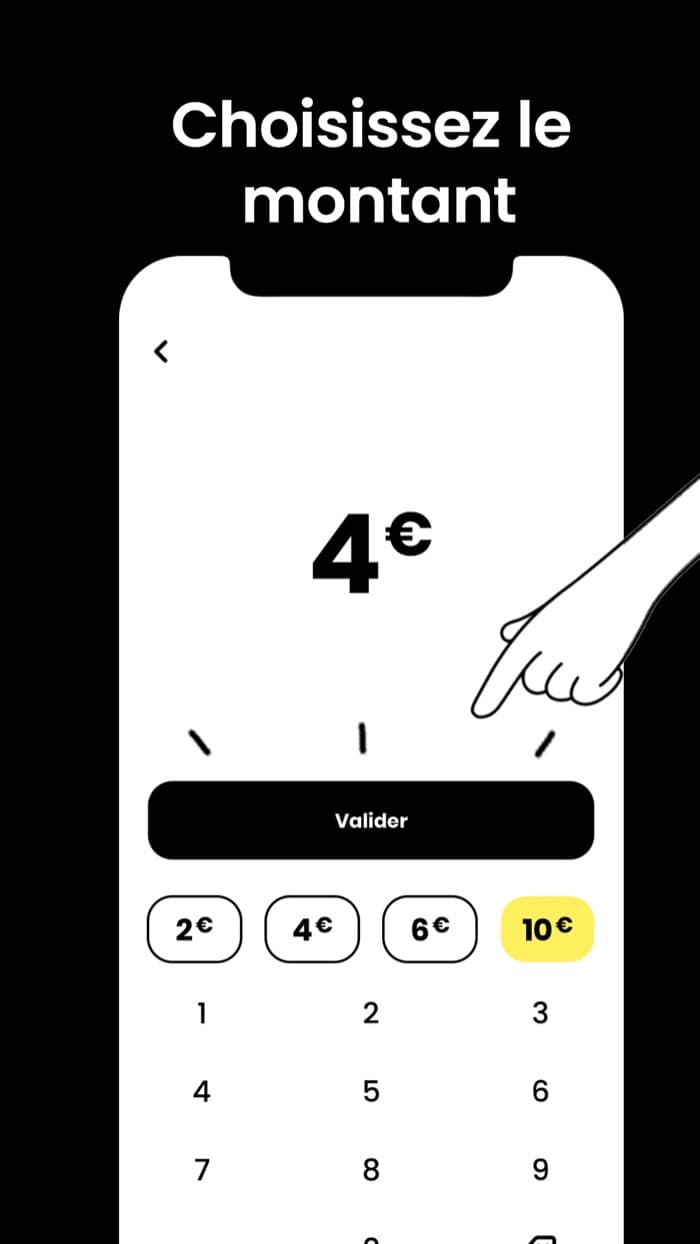
The customer picks an amount and pays on the spot. The app was taken over, made reliable and tested, without changing how the team uses it.
A tablet app taken over, then a platform built around it so that the tip reaches the team.
Visit the Onetip site →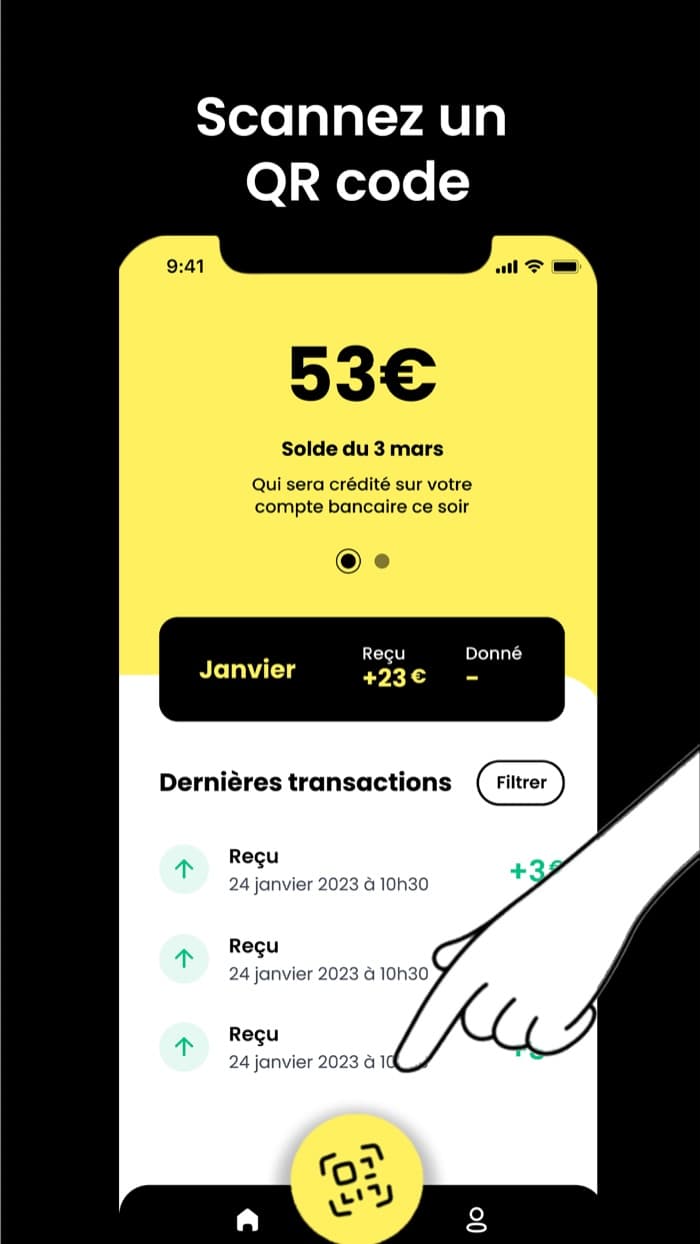

There was already a tablet app, set on the counter to receive tips. I took it over as it was, with its code and its habits.
Around the tablet, a set of tools plugged into the same server. Each one serves a specific person.
The customer picks an amount and pays on the spot. The app was taken over, made reliable and tested, without changing how the team uses it.
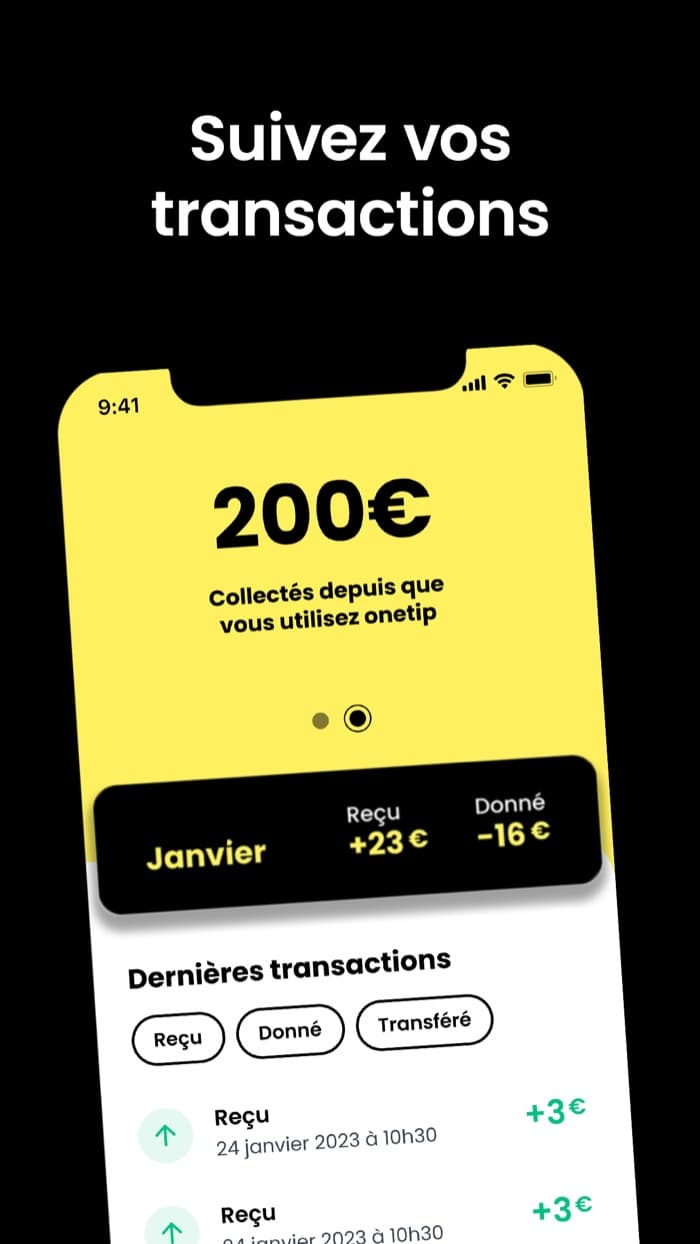
Each team member follows the tips received, shares a QR code, enters a bank account and gets paid out. It exists on iOS and Android.
The customer taps their phone on a tag, picks the person to thank and pays, with nothing to install. They can also leave a Google review right after.
Team, tablet and tag management, tip tracking and venue settings.
Accounts, venues, subscriptions, commissions and payment tracking, to run the platform day to day.
One API for the tablets, the mobile apps, the NFC page and both back offices. It talks to Stripe and splits the payouts.
The journey of a tip, from the customer to the team.
A platform that moves money does not forgive calculation errors or duplicates. Here are five real problems, with their cause and what was done.
During the first days of the month, some accounts were charged more than expected.
The subscription month calculation picked the wrong period and counted some payments several times. I wrote the tests that pin down the expected behavior, fixed the calculation on Paris time, then checked it on a real production account.
When adding someone to the team, a double tap on the button created two records.
A transaction is not enough here, because the client SDK cannot read a query inside a transaction. Each record now has an identifier built from the person and the venue, and the add is a single grouped write.
After one of my fixes, the tablet started without asking for the access it needs to take payments.
My rule waited for the app to be in the foreground, but Android does not report that yet at startup. The till stayed silent. I caught it and fixed it the same day, by removing that condition.
On iPhone, opening the photo picker locked the screen.
The app opened the picker while a sheet was still closing, and iOS refuses that overlap. The action now waits until the sheet is closed. Android was not affected.
After approval at the bank, the page stayed open or showed a routing error.
The payment library never received the return address on iOS. I hooked that link listener up myself and made the app absorb it without changing screen. The flow is validated on iOS and Android.
React Native with Expo for the tablet and mobile apps, Next.js for the two back offices and the NFC payment page, Firebase for the database, authentication and server functions in Node and TypeScript, Stripe and Stripe Connect for payments and payouts. The server money rules are covered by automated tests.